A small, sound-first utility for macOS
Mono-eye
Keep one window within earshot.
Mono-eye detects visual change in one window you choose, locally on your Mac, and turns it into quiet sound and light cues. You can keep working somewhere else instead of keeping that window in view.
For AI agents, builds and tests, renders and conversions, and long browser tasks.
Choose one window. No recording. Nothing leaves your Mac.

Choose one window
Choose where the cues come from.
Mono-eye responds only to the one window you select. Visible change in that window becomes sound and light, processed locally on your Mac.
01
Choose
Choose one visible window with Track Window.
02
React on your Mac
Low-resolution visual change is processed only on your Mac.
03
Stay aware
Sound, light, and the Floating Mono-eye carry the cue.
Three visual-activity states
Keep the state close by.
Active, Thinking, and Ready appear in the Floating Mono-eye.

Active
Visual change is present.
Sound and light respond to movement on screen.

Thinking
The window is becoming quieter.
This is a transition based on visual change; Mono-eye does not understand an AI’s internal thought.
Ready
A cue to check back.
It does not mean successful, complete, correct, or approved.
Optional Floating Mono-eye
The Floating Mono-eye is a small status view you can place near the work you care about. Its size and position are adjustable.
The actual Mono-eye app
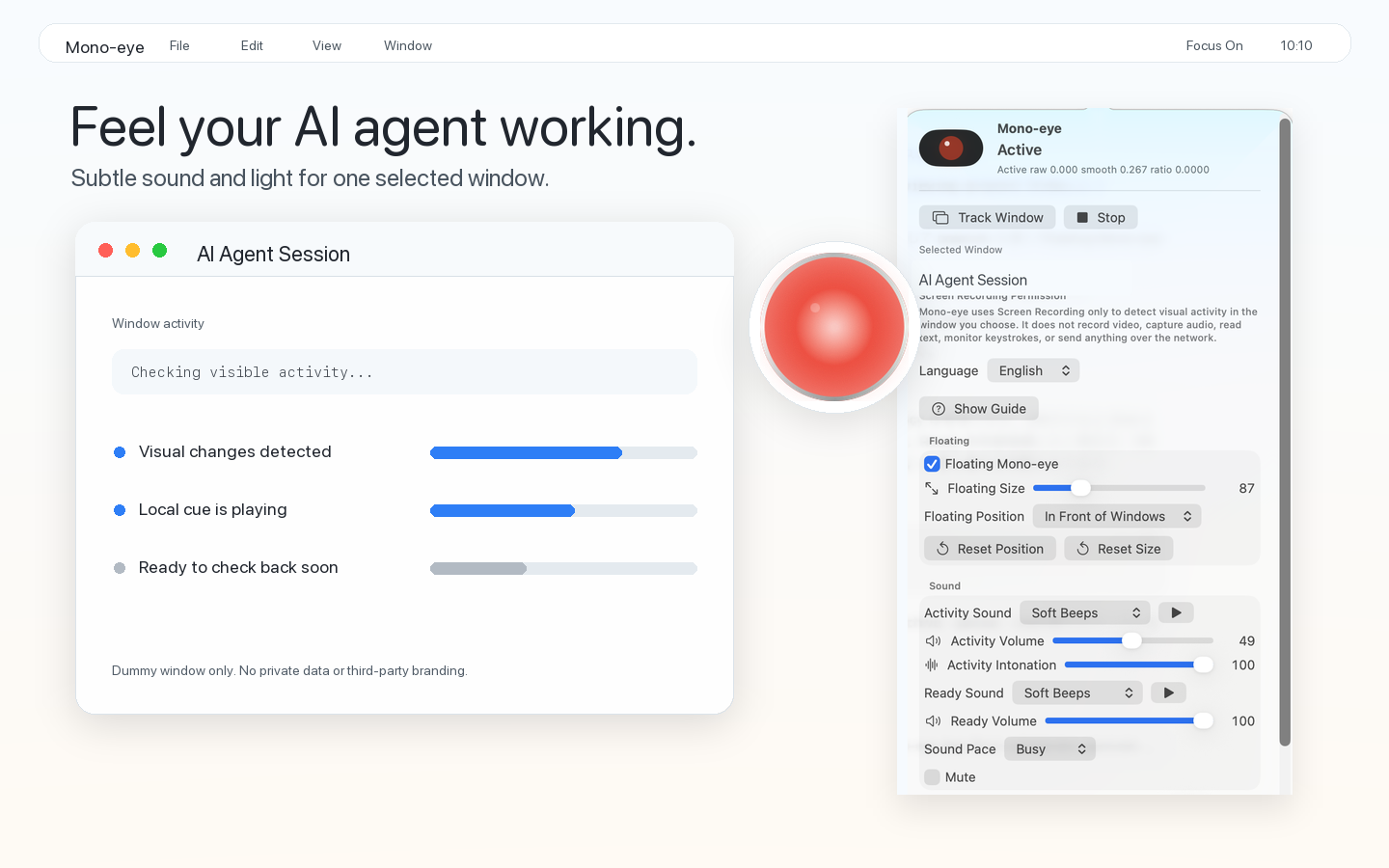
See the Active state in the app.
The actual Mono-eye app reacts to change in the selected window with sound and a visible state.
More than one workflow
Stay aware of visible activity while you work elsewhere.
AI agents are one important use case. Mono-eye also works with builds, tests, renders, conversions, and long browser tasks—any window where visible change continues on screen. Responsiveness varies with what the window displays and how it moves.
AI agent
Keep a sense of an AI agent’s visible activity while you work elsewhere.
Build / test
Hear the cue while output continues to move in a terminal window.
Render / convert
Keep a sense of motion while a render or conversion remains visibly active.
Browser task
Use it with a window where a long browser-based task continues to change.
Sound comes first
Hear when something is still changing.
Activity sound follows visible change, and Ready sound lets you know it may be time to check back. Set Activity and Ready volume independently, choose the pace and intonation, or turn sound off and use light alone.
About macOS Screen Recording permission
Turn visual changes into sound and a Floating Mono-eye.
Mono-eye uses macOS Screen Recording permission to detect visual changes in the one window you select. It does not make a recording; transient, low-resolution visual change is processed locally on your Mac.
Read the full Privacy PolicyNo recording file is created.
No screenshot, frame, or video is saved.
No OCR or screen-content understanding is performed.
No screen content is sent off your Mac.
Mono-eye for macOS
Free on the Mac App Store. No account. The app makes no network connections and has no analytics, tracking, advertising, or crash-reporting SDK.